Mihov Picture Downloader screen shots

Because a picture is worth more than 1000 words!
Screen shot
Main program window

The main window of the program with the downloaded list of photos and download of selected files in progress.

View full size screen shot right

Screen shot
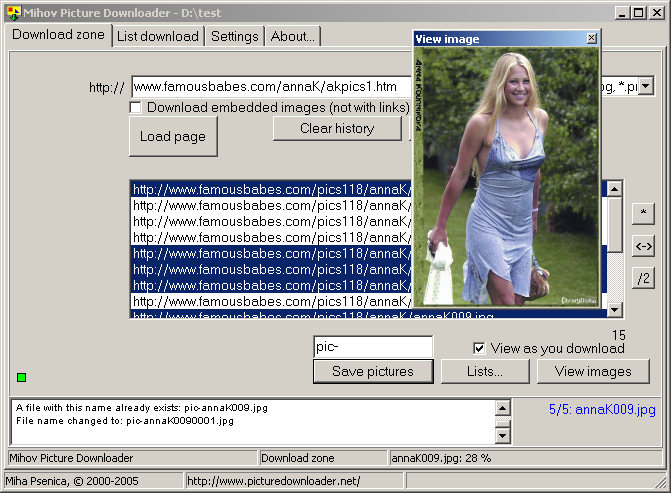
Preview images while downloading

The main program window while downloading files with preview window open.

View full size screen shot right

Screen shot
Selecting favorite media file types

User can download also other types of files, not just pictures.

View full size screen shot right

Screen shot
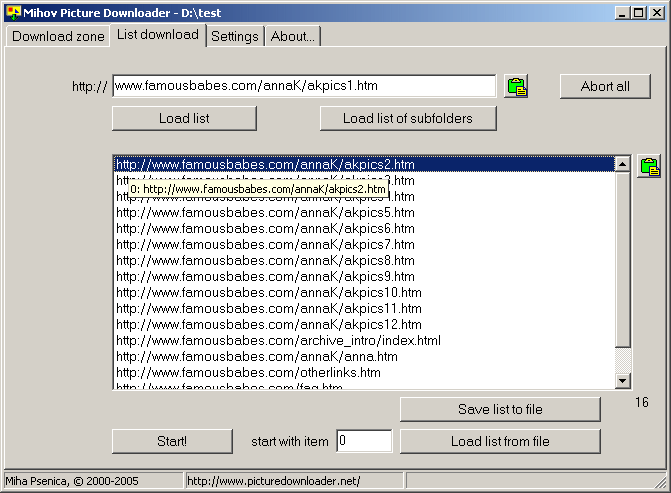
List downloading from a list of sites

List download tab open showing the option to download all images from several pages at once.

View full size screen shot right

Screen shot
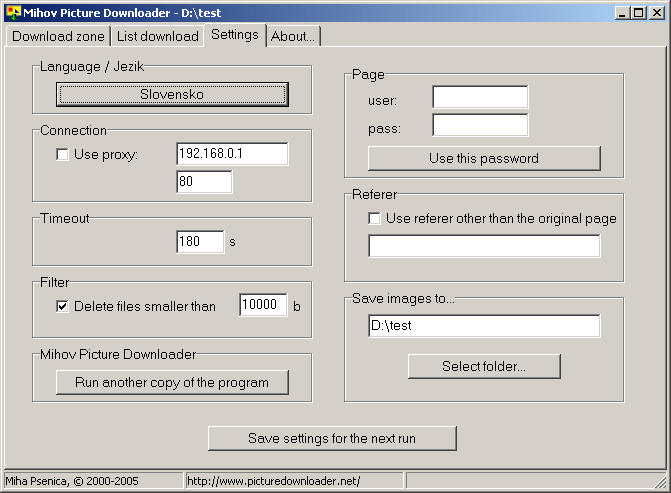
Program settings

You can see many of the settings from the actual screen shot. All the settings can be saved for the future program runs.

View full size screen shot right

Screen shot
Several options to load, save or create lists of links

You can load lists of links from plain text files or HTML files. You can also create your own links with a powerfull tool and you can save all the lists with links created - to text file or HTML file.

View full size screen shot right

Screen shot
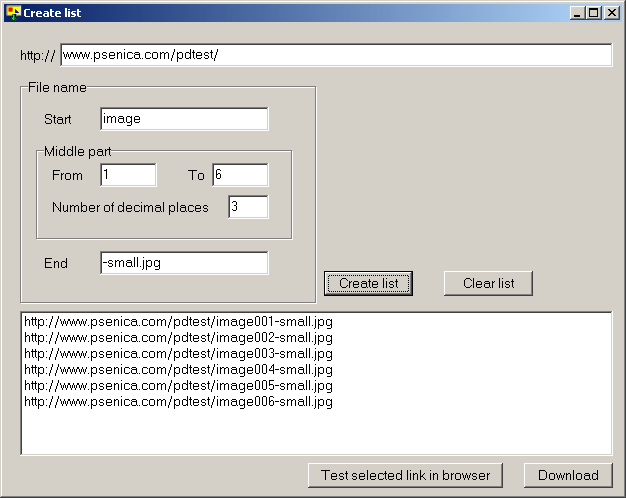
Creating a custom links list

It is possible to create links lists for the sites that don't have download friendly galleries available. This can be done by using smart naming tool for the pictures.

View full size screen shot right

Go to download page to download the program for free.